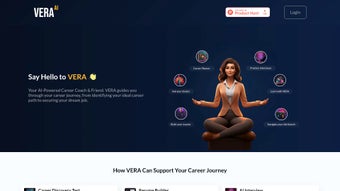

Download VERA – AI Career Coach, Interview Simulator & Personal Planner
Overview
VERA is a cloud‑based AI career coaching platform that merges sophisticated personality analytics with real‑time interview simulation. Built for students, job seekers, and professionals, VERA serves as a digital mentor that helps you map out realistic career pathways and rehearse interview scenarios that feel as close to the real thing as possible. The tool analyses your responses to a series of psychometric questions, then matches your traits against a constantly updated labor‑market database.
The result is a curated list of job titles, industries, and skill‑development recommendations that align with both your strengths and your aspirations. In addition, VERA’s Practice Interview module generates role‑specific questions, evaluates your spoken or typed answers, and delivers actionable feedback on tone, structure, and relevance. While VERA’s core functions already provide a powerful career‑planning experience, the roadmap includes more than 20 upcoming capabilities—ranging from salary‑negotiation simulators to AI‑driven networking suggestions—making it a future‑proof investment for anyone serious about career growth.
Educational institutions can embed VERA into their career services portals, giving students a 24/7 advisor that scales across campuses. Corporations can also license the platform to upskill employees, promote internal mobility, and foster a culture of continuous learning. Although VERA mimics human‑like interaction and offers evidence‑based insights, it’s important to treat its suggestions as one data point among many; external factors such as market trends, personal circumstances, and networking opportunities still play a critical role in career outcomes.
Key Features
- AI‑Powered Career Planner: Uses machine‑learning models to assess personality traits, values, and skill sets, then generates personalized career roadmaps.
- Dynamic Interview Simulator: Offers role‑specific interview questions, real‑time speech‑to‑text transcription, and instant feedback on answer quality.
- Skill Gap Analyzer: Highlights missing competencies and recommends free or paid courses from leading providers.
- Progress Dashboard: Visualizes milestones, completed practice interviews, and skill‑development scores in an intuitive UI.
- Institutional Integration: Single sign‑on (SSO) and API hooks for universities and enterprises to embed VERA within existing LMS or HR platforms.
- Future‑Ready Roadmap: Planned modules include salary negotiation trainer, AI networking coach, and job‑search automation tools.
- Secure Cloud Architecture: End‑to‑end encryption, GDPR compliance, and role‑based access control protect user data.
- Multi‑Device Access: Fully responsive web app works on Windows, macOS, Android, and iOS browsers without the need for a separate download.
How VERA Generates Your Career Path
The platform begins with a concise questionnaire that probes your interests, preferred work environment, and past experiences. Using natural‑language processing, VERA extracts key themes and maps them onto occupational datasets sourced from the U.S. Bureau of Labor Statistics and international equivalents. The AI then ranks potential career tracks based on alignment scores, projected growth rates, and salary ranges. Users can explore each suggestion in depth, view required certifications, and see a projected timeline for achieving the role.
Interview Simulation in Action
When you launch the Practice Interview module, VERA asks you to select a target position. The system pulls a curated list of interview questions—behavioral, technical, and situational—tailored to that role. You can respond via microphone or text, and VERA evaluates fluency, relevance, and confidence cues. After each session, you receive a scorecard that breaks down strengths (e.g., storytelling, quantifiable results) and improvement areas (e.g., avoiding filler words, structuring answers with the STAR method). This loop of practice and feedback accelerates skill acquisition far more efficiently than traditional mock interviews.
Installation & Usage Instructions
Because VERA is a web‑based solution, there is no traditional “download” process for the core application. Users simply navigate to https://vera.ai, create an account, and begin exploring the platform. For organizations that prefer a branded experience, VERA offers a white‑label option that can be deployed on a custom subdomain.
Step‑by‑Step Setup
- Account Creation: Click “Sign Up,” enter your email, and verify the confirmation link.
- Profile Completion: Fill out the brief personality questionnaire and upload a current résumé for deeper analysis.
- Choose a Module: Select “Career Planner” to receive a personalized roadmap, or “Practice Interview” to start rehearsing.
- Set Preferences: Define industry interests, geographic constraints, and desired salary ranges to fine‑tune recommendations.
- Begin the Journey: Follow the actionable steps on your dashboard, track progress, and schedule regular AI‑driven check‑ins.
Compatibility
VERA runs on any modern web browser (Chrome, Edge, Firefox, Safari) and is fully responsive on Windows 10/11, macOS Monterey and later, Android 8.0+, and iOS 13+. Because the platform is cloud‑hosted, there are no device‑specific installations, and updates are applied automatically without user intervention.
Pros and Cons
Pros
- Highly personalized career recommendations based on AI analysis.
- Realistic interview simulations with instant, actionable feedback.
- Scalable for both individual users and large institutions.
- Secure, GDPR‑compliant data handling.
- Zero‑install, always‑up‑to‑date web experience.
- Roadmap of upcoming features ensures long‑term value.
Cons
- Relies on internet connectivity; offline access is not currently supported.
- Feedback is AI‑generated and may lack the nuanced insight of a seasoned human coach.
- Pricing tiers for enterprise use can be high for small colleges.
- Current feature set focuses on planning and interviews; other career‑development tools are still in development.
Frequently Asked Questions
Is VERA free to use?
VERA offers a free tier that includes basic career planning and limited interview practice sessions. Premium subscriptions unlock unlimited simulations, advanced analytics, and institution‑wide licensing.
Can VERA replace a human career counselor?
While VERA provides data‑driven insights and scalable coaching, it is best used as a complementary tool. Human counselors can add contextual advice, networking support, and emotional guidance that AI cannot fully replicate.
How secure is my personal data on VERA?
VERA employs end‑to‑end encryption, regular security audits, and complies with GDPR and CCPA regulations. User data is stored on secure cloud servers with role‑based access controls.
What devices can I use to access VERA?
Any device with a modern web browser—desktop, laptop, tablet, or smartphone—can access VERA. The platform is optimized for Windows, macOS, Android, and iOS.
How often are the career recommendations updated?
VERA’s underlying labor‑market database is refreshed quarterly, ensuring that growth projections, salary data, and emerging roles reflect the latest industry trends.
Conclusion & Call to Action
VERA stands out as a forward‑thinking AI career companion that blends data‑rich planning with hands‑on interview practice. Whether you’re a student exploring first‑career options, a professional pivoting into a new field, or an organization seeking to boost employee development, VERA delivers a secure, scalable, and continuously evolving experience. The free tier lets you test the core functionalities, while premium plans unlock the full suite of tools and institutional features. Ready to take charge of your professional future? Sign up for VERA today, start mapping your personalized career path, and practice your next interview with confidence.



.png)



